The beginning: one printer, one color
My 3D printing journey began with a single-color printer from Satware. Back then, that was the norm: one spool, one color, and whatever came out of it was simply monochrome. Functional parts, brackets, a few gadgets – all in the same base color.
The problem: multicolor models fascinated me from the very start. Figures with colored details, signs, decorative objects – anything that didn't look like "single-color plastic". But that was exactly what was extremely laborious back then: manually swapping filament and hoping for the exact layer change, printing parts separately and gluing them together, or wrestling with multi-extruder setups that hardly anyone kept running reliably. At some point I made my peace with it – and eventually let the printer sit idle.
The real problem: ideas without a 3D pipeline
The second stumbling block was less the printer than the software. I had plenty of ideas, but two things were simply missing: talent and time for 3D software. CAD tools and mesh editors are powerful, but the learning curve is steep, and if you only tinker occasionally, you spend more time fighting the tools than actually modeling.
The result was always the same: the idea was there, the model existed in my head – but between the idea and a printable STL stood a wall I never managed to tear down.
What changed: AI models from images and affordable multicolor printing
Two developments dug that old dream back up:
- AI that turns images into 3D models. Instead of modeling everything yourself, a single image is enough – and out comes a printable model. This closes exactly the gap between "I have an idea" and "I need an STL". For someone like me who doesn't want to sit in Blender every evening, that's a game-changer.
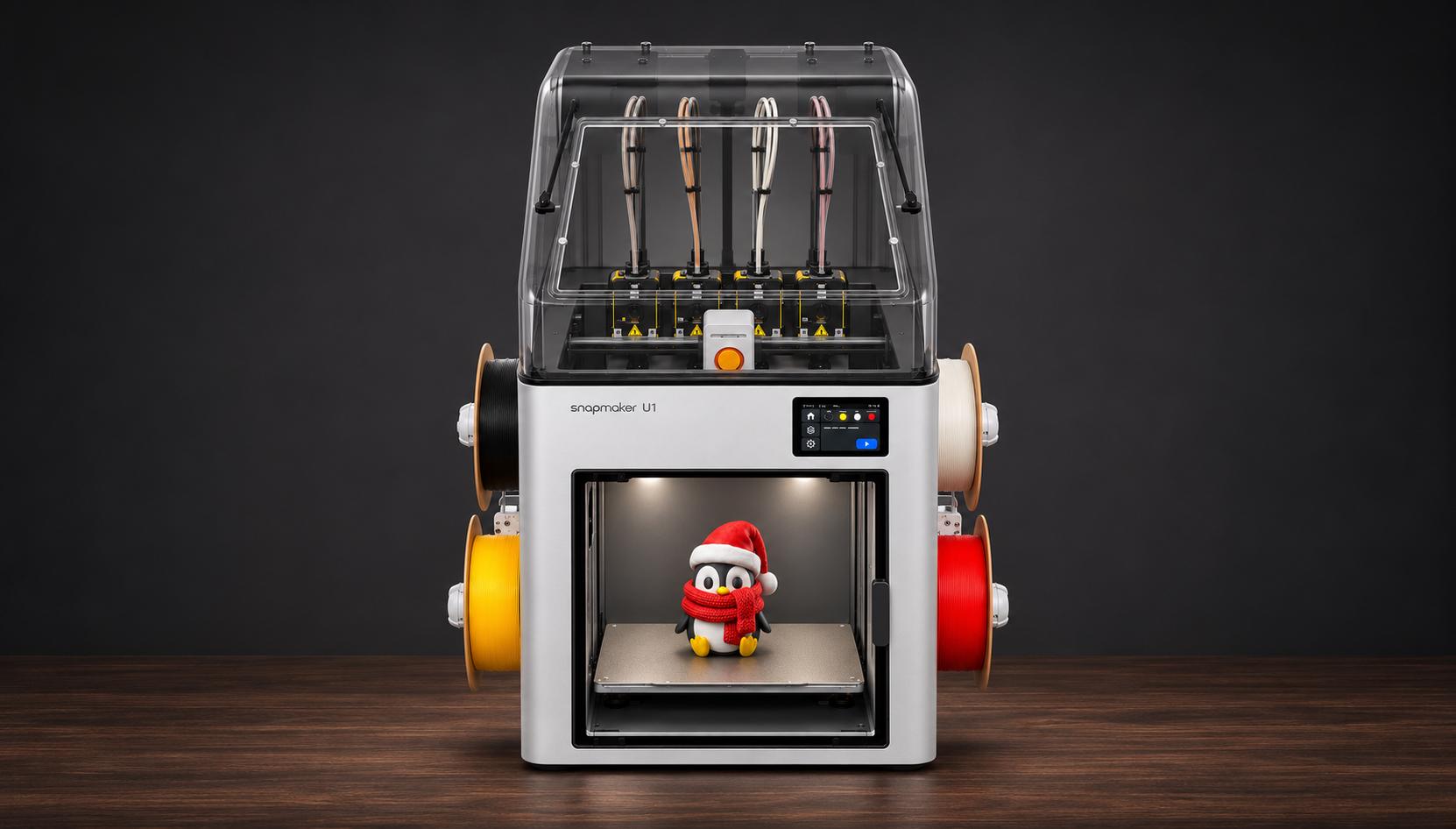
- Multicolor printers have matured. With devices like the Snapmaker U1, true four-color printing is no longer a DIY project – it just works out of the box, without any filament fiddling mid-print.
Together, these two points convinced me to buy a printer again. And this time, it fits.
Why the Snapmaker U1?
The U1 solves the multicolor problem not with a shared nozzle and a purge system, but with four independent toolheads:
- SnapSwap™ system: every color (or material) gets its own preheated toolhead. The swap takes around 5 seconds – direct, mechanically locked, no cutting or purging filament.
- Significantly less waste: because there's no purging through a shared nozzle, the manufacturer claims up to 85% less filament waste compared to single-nozzle multicolor systems. Less scrap, smaller purge tower, cheaper multicolor prints.
- 270 × 270 × 270 mm build volume: enough room for larger models or several parts at once.
- CoreXY at up to 500 mm/s with automatic calibration (bed, flow, toolhead offsets) – the printer calibrates itself.
- RFID filament recognition and automatic backup mode: load a spool, done. Third-party filament works too – you just enter type and color on the display.
- Klipper firmware and Snapmaker Orca as the slicer – including full-spectrum color mixing, which blends additional shades layer by layer from just four colors.
And the price: around €700 for the base version. For a 4-toolhead toolchanger with this feature set, the price-performance ratio is simply top-notch – that was the deciding factor for me.
First test prints: excellent
After assembly and automatic calibration, the first test prints went excellently: clean surfaces, precise color changes, no failures so far. Multicolor printing in particular – the very thing that frustrated me back then with the single-color printer – works exactly the way you'd want it to: drop in a model, assign colors, print. The rest takes care of itself.
In short: the appeal 3D printing had for me back then is back – just without the frustration factor.
My filament color guide: the repo
Since I was taking detailed notes on colors and materials anyway, I've collected everything about the Snapmaker U1 in a public repo: github.com/jschwind/snapmaker-u1 .
Inside you'll find:
- All Snapmaker PLA filaments with color codes – including hex values (
#...) so you can map the colors directly in your slicer. From SnapSpeed and Silk to glow-in-the-dark, translucent, and wood, all the way to PLA-CF and dual-color silk. - Product links and variants, kept up to date from the EU store.
- Tiered bulk discounts at a glance: the Bulk Sale tiers automatically – 20% from 2 rolls, 30% from 4 rolls, 35% from 6 rolls, 43% from 10 rolls.
So if you're planning to get started with the U1 (or any other multicolor printer) and want to pick the right colors first, you'll find a well-maintained reference there.
Transparency: referral links
To avoid any misunderstandings: the shop links in the repo contain my referral code ref=juergen_schwind. If you're ordering from the Snapmaker EU store anyway, feel free to use them – you won't pay a cent extra, and I get a small commission credited.
A few facts to keep things fair:
- Attribution is cookie-based for 7 days after the click – no separate discount code needed.
- The well-known 5% referral coupon only applies to machines, not to filament. Filament purchases don't give the buyer a discount, but they still count for attribution.
- The Bulk Sale discounts above are applied automatically at checkout anyway.
Conclusion
What drew me to 3D printing back then – multicolor models from my own ideas – failed on two practical hurdles: too much effort for multicolor printing, and too little talent/time for 3D software. Both hurdles have fallen: AI turns images into models, and printers like the Snapmaker U1 print four colors out of the box, cleanly, with little waste, for under €800. The first test prints are great – and I'm curious to see what comes off the print bed next.
If you're looking for colors, details, and links for the U1: github.com/jschwind/snapmaker-u1 – and if an order is due anyway, I appreciate every click through the referral links.
Interested? Let's work together
Thinking about getting into multicolor printing, planning a similar setup, or looking for help with automation around 3D printing? Then get in touch:
- Email: web@juergen-schwind.de
- WhatsApp: +49 179 22 11 00 5
Let's work together.
This post describes my personal first impressions of the Snapmaker U1 and multicolor printing. All technical specifications are based on manufacturer information at the time of publication; the filament directory in the repo is updated continuously.